
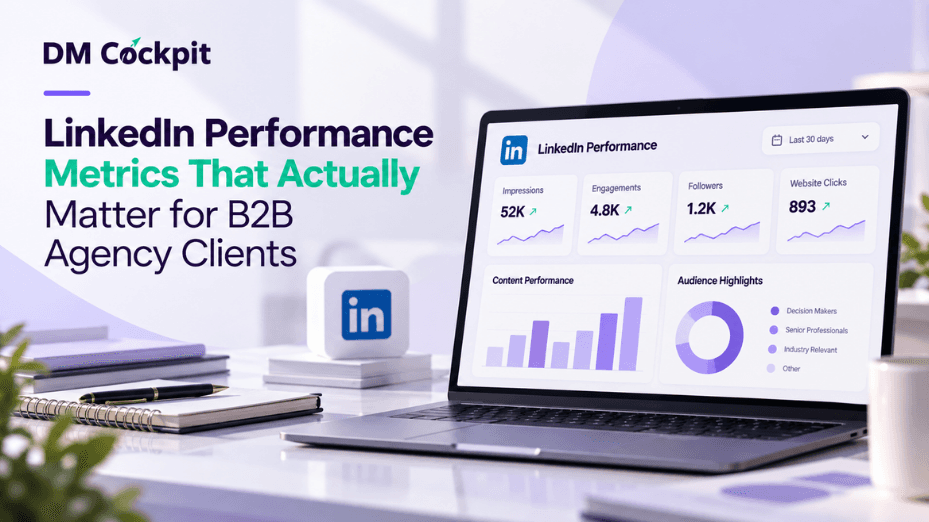
A LinkedIn report can look impressive and still tell a client very little.
Impressions are up. The company gained followers. A post collected more reactions than usual. The figures should be included in the report but none of them is the one that a B2B client is likely to be most interested in: Does our content get in front of the right people and does it provide them with a reason to interact with the business?
That is where LinkedIn analytics for agencies should make it past the numbers from a dashboard. The role is to tie content performance, audience quality, engagement and business relevance together to help the client know what's working and what should be adjusted in the future.
Start With the Question, Not the Metric
But before selecting LinkedIn KPIs, ask the client what they want LinkedIn to achieve.
A consulting firm seeking to contact senior executives has different goals from a software company attempting to raise awareness among the IT team. Similarly, a firm that employs specialists will view LinkedIn in a different way compared to a firm that makes use of LinkedIn for lead generation.
An agency can usually organize the conversation around four questions:
- Are more relevant people seeing the content?
- Which posts make those people respond?
- Is the audience becoming more aligned with the client's target market?
- Is LinkedIn generating meaningful actions beyond the feed?
Having answered those questions the metrics are easier to interpret.
Put LinkedIn Metrics Into Three Levels
Do not list all numbers available but break them down into three levels.
|
Level |
Examples |
What It Helps Explain |
|
Visibility |
Impressions, reach, follower changes |
Whether distribution is expanding |
|
Engagement |
Clicks, reactions, comments, shares, engagement rate |
Whether people respond to the content |
|
Audience relevance |
Industry, job function, company size, location |
Whether the right people are showing interest |
None of these levels is used to its best effect as a standalone.
If an audience receives a lot of viewership with low engagement statistics, it could indicate that they are being shown but are not engaging with the content. Strong engagement from an irrelevant audience can look good in a monthly report while doing little for the client's actual B2B goals.
The useful insight normally appears when the levels are read together.
Compare Engagement by Post Type
"Engagement increased this month" is an observation. It is not much of an explanation.
Look one layer deeper.
Sort the client's posts by format or content type. That could cover any or all of the following:
- Videos
- Documents
- Company updates
- Educational posts
- Industry commentary
- Product-related content
Then compare their performance.
For instance, if a lot of impressions are being served by short company updates, but the engagement is not that high, and document posts have constant high engagement scores, then it means that short company updates are not driving that much traffic. The lesson is not simply that one post "won." The agency now has some evidence to influence content mix for the following month.
Our LinkedIn Insights Tool supports post-level analysis across content types and provides metrics such as clicks, unique views, engagement, impressions, and follower activity. It also includes audience breakdowns such as company size, industry, job function, and location.
The combination is relevant as the absence of context leads to easy misinterpretation of performance.
Follower Quality Can Matter More Than Follower Quantity
Let's take a look at two monthly reports.
Client A: +700 followers
Client B: +180 followers
Looking at the two clients side by side, it would seem that Client A had the better month at first glance.
Now, though, imagine that Client B is selling enterprise software to tech leaders, and a significant percentage of their new followers are from the industries, job functions, and company profiles they desire to target. Client A's larger increase may be far less valuable if the new audience has little connection to its target market.
That is why follower count should rarely stand alone in a B2B report.
For LinkedIn analytics for agencies, audience questions are often more useful:
- Where is engagement coming from?
- What industries are represented?
- What job functions are interacting?
- What company sizes appear in the audience?
- Does the geographic distribution match the client's market?
Instead of just knowing how many interactions took place, our reporting capabilities provide segmentation by company size, industry, job function and place, which gives agencies more context on who's interacting
Don't Let One Viral Post Distort the Report
A breakout post can make an entire month look better.
That creates a reporting trap.
If one post is seen by five times more users than is the client's normal reach, the monthly impressions have increased dramatically, engagement has increased also, and the graph looks great. However, the remaining posts perform nearly the same as before.
Has the LinkedIn strategy improved?
Not necessarily.
Report the standout post, away from the baseline. Ask:
- Why did that post travel further?
- Was the topic different?
- Was the format different?
- Did it attract the intended audience?
- Did clicks rise along with impressions?
- Can anything about the result be repeated?
This turns an unusual spike into something the content team can actually learn from.
Add Competitor Context Carefully
Clients are always interested in knowing about the competition but such comparisons have to be put in perspective.
There are times when a competitor will post more often, have a larger base of followers, a broader audience or might be using LinkedIn for another reason altogether.
So avoid reducing competitor benchmarking to:
"Competitor X has more followers than you."
A more useful review looks for patterns.
Publishing behavior: How frequently are comparable brands posting?
Content mix: Are they relying on video, documents, company news, thought leadership, or another format?
Visible response: Which themes appear to generate meaningful interaction?
Positioning: What topics are competitors repeatedly trying to own?
The purpose is not to copy them. The purpose is to determine what's missing and how the client's LinkedIn profile appears in the competitive landscape.
Build the Client Report Around Decisions
A client should finish a report knowing what happens next.
That means every important metric should lead somewhere.
Instead of:
Video engagement rate increased.
Try:
Video posts generated stronger engagement than our other formats this month. We will test two additional videos next month to see whether the pattern continues.
Instead of:
Followers increased.
The useful interpretation might be:
Audience growth continued, but we will review industry and job-function data to determine whether that growth is aligned with the people the campaign is intended to reach.
This is the difference between data delivery and account management.
A simple monthly reporting sequence can be:
- What happened
- Why it matters
- What we learned
- What we will test next
It also keeps reports from being a load of screenshots that the account manager has to walk through on each call with a client.
Keep Vanity Metrics, Just Put Them in Their Place
Impressions, reactions and followers are not worthless.
However, when treated as outcomes rather than signals, the problem begins.
For example:
- Impressions help show distribution.
- Reactions indicate a lightweight response.
- Comments can reveal stronger participation.
- Shares can indicate that content was worth passing along.
- Clicks show movement beyond passive consumption.
- Audience data helps identify that activity is from relevant individuals.
The task of the agency is to align those signals, not proclaim one as the universal KPI.
Good LinkedIn analytics for agencies should therefore be able to tell a story about performance as well as relevance.
Turn the Monthly Report Into the Next Content Brief
The most useful LinkedIn report should influence what gets published next.
If document posts repeatedly outperform standard updates, test more documents.
If the videos are getting attention with little to no clicks, check the content or the call to action.
When engagement is high and audience relevance is low, think about rethinking content positioning and targeting again.
If one subject consistently draws in the audience the client wants, create a more substantial line of content on it.
That creates a useful loop:
- Publish
- Measure
- Interpret
- Adjust
- Publish again
Reporting is no longer a monthly activity performed by an agency. It becomes a part of the planning for the next month.
Make LinkedIn Reporting Useful to the Client
Not all LinkedIn numbers should be given the same weight to B2B clients. They must be aware of whether or not their message is being delivered to the right audience, what kind of response it is getting in the format it's in, and what the agency will do with the information.
At DM Cockpit, we help agencies add LinkedIn performance metrics to a clearer reporting experience, such as post engagement and audience insights. The aim is to make the data more easily understood so teams can spend less time putting the pieces of data together and more time determining what to improve next.
Frequently Asked Questions
1. What LinkedIn metrics should agencies report to B2B clients?
The exact mix depends on the client's objective, but a useful report can include impressions or reach, clicks, engagement, follower movement, post-level performance, and relevant audience characteristics. These should be interpreted together rather than reported as isolated numbers.
2. Are LinkedIn impressions a useful B2B metric?
Yes, but impressions mainly show how often content was displayed. They become more useful when compared with engagement, clicks, audience information, and the client's wider objective.
3. Is follower growth important for B2B companies?
Follower growth can indicate expanding visibility, but quality matters. Agencies should also examine whether the audience aligns with the industries, locations, company sizes, or professional groups the client wants to reach.
4. How should an agency compare different LinkedIn post formats?
Group posts by format, such as video, documents, or standard updates, and compare relevant performance signals over several posts. Avoid making a major strategy change because of one unusually successful post.
5. How often should agencies review LinkedIn performance?
Regular monthly reporting works well for client communication, while the team managing the account may review performance more frequently. The right cadence depends on publishing frequency and campaign activity.
6. Should LinkedIn reports include competitor activity?
Competitor context can be useful when it helps explain content patterns, publishing behavior, positioning, or opportunities. Avoid treating raw follower totals as a direct measure of which company has the stronger strategy.